BoomWriter

The video does a great job of explaining what BoomWriter is and how teachers and students can use it, but here's a quick rundown:
  1. BoomWriter provides a story starter. 
  2. Students write Chapter 2.
  3. The teacher approves or requests revisions of students' chapters.
  4. Once all are approved, students read and vote anonymously.
  5. The winning chapter is added to the story and the process repeats with Chapter 3.
Here's the official video to explain it better than me . . . and with cuter animation.

Digital Flip Books


Snack Tools is a site that offers free tools for promoting websites, but what's really cool is that the resources are free and that they can be used for anything, not just promoting websites.

Making a Flip Book (or, as the website calls them, a "flipping book") looks to be easy as well as free. Kids can create documents to show their learning and upload them into a flip book. Books can then be embedded into a website or blog.

Here are some examples. Here is where you log in to create a new flipping book, and you can log in with your Twitter account. Smile! No new passwords!

Warm Up the Brain for Brainstorming

Here's an interesting idea for warming up the brain for brainstorming. We've all had those class periods where brainstorming is in the plan, and then the best ideas we get barely scratch the surface. This slideshow compares throwing students into brainstorming is like throwing a person into a cold pool. Take a look at the slideshow for some ideas, and maybe it will generate some ideas of your own too.


Thanks to Free Tech 4 Teachers for the link.

Reading and the Brain

This may be the coolest thing I have read in quite some time. This is an article from the New York Times called "Your Brain on Fiction." In it, researchers tell how the brain reacts when reading and compare their findings to how the brain reacts when actually experiencing something. Here's a great quote:
"The brain, it seems, does not make much of a distinction between reading about an experience and encountering it in real life; in each case, the same neurological regions are stimulated."
Later the article goes on to say,
"Indeed, in one respect novels go beyond simulating reality to give readers an experience unavailable off the page: the opportunity to enter fully into other people’s thoughts and feelings."
So basically, if I'm reading this correctly and interpreting the findings accurately, readers (at least as far as their brains are concerned) have more experiences and more prior knowledge to bring to classroom instruction.

It's a fascinating read. I highly encourage it. Once again, here's the link: "Your Brain on Fiction."

The Science of Gardening

Free Tech 4 Teachers just shared a website called The Science of Gardening. It is an interactive site for students. There are three sections - Feed, Control, and Bloom. Each section has several videos.

I haven't previewed all of the videos, but it certainly looks like it could be a useful resource as spring and garden preparation rolls around here at school.

Some of the videos include:

  • The Science of Soil
  • Carnivorous Plants
  • Competitive Gardening (including giant pumpkins)
  • The Secret Lives of Flowers (although the subtitle is "Take a peek at the colorful world of plant sex".)

YouTube.com EDU


With WRPS schools moving to Google Apps for Education, I'm keeping my eyes open for various Google tools to use in conjunction with our new accounts. YouTube is owned by Google, so your school Google Account can be linked to a YouTube account.

YouTube is working on an educational portal that screens out most of what is annoying about YouTube when using it in schools. As the article says,
"Schools across the country commonly block access to YouTube, shielding students from the irresistible distractions of, say, the cat in a T-shirt playing a piano, or worse. So in December, Google started YouTube for Schools, offering schools the ability to pluck only the videos they want, scrubbed of all comments and linked only to other related educational videos."
Or, as the headline of the New York Times article says, "YouTube Subtracts Racy and Raucous to Add a Teaching Tool."

You know what that mean: No More Skittles. (Ask a VCA teacher who's been around a couple years.)

Here is a link to the New York Times article, and here is a link to the YouTube EDU portal.


Work That Matters

Work That Matters: A Teacher's Guide to Project Based Learning is a free online resource for teachers about, obviously, project based learning. I haven't had an opportunity to check out the whole thing, but as I've said before, it's always nice to run into research that supports what I already believes.

This might be a great resource to have on hand to share - or at least the link - when people have questions about what we do at VCA. Please take the time to look it over on your own before you share it as an explanation of what we do. Like I said, I haven't gone over the whole thing myself.

Online Planetarium

Naeve Interactive offer a free online planetarium. Users can set their location to see what the sky looks like at that moment. It even shows what is in that sky during the daylight hours - yes, the stars are still there even though you can't see them.

Other options include changing from daytime to nighttime sky and showing or not showing the constellations. It's not a visit to UWSP, and there isn't an ominous sounding soundtrack or knowledgeable host to describe everything, but it is free and no bus or permission slip is needed.

Thanks to Free Tech 4 Teachers for mentioning it on his site.

Allowing Students To Learn

Terry sent us this video about student learning. So I started playing it and listened as I cleaned up my LLI lesson supplies.

The first part of the video talks about how education has changed, how once it was necessary for students to GO to the school because that's where the information was. If you wanted to learn, that was your choice, even up to her (our) parents' generation. She shared how her family had a set of encyclopedias in the house when she was a child which started the process of bringing information to the learner.

We all know where we are today with access to information.

But I had to stop cleaning and pay attention when the speaker, Diana Laufenberg (from Wisconsin - woo-hoo!) said this:
"To tell kids to never be wrong, to tell kids to always have the right answer, doesn't allow them to learn."
This is at about the 6:30 mark. Feel free to skip ahead. She shares how one student created a project that was visually stimulating, but the information was suspect. Then another student created a ho-hum visual product, but proceeded to talk for an hour about what was learned and the learning process. Here's the clip:


Her point was this: by allowing that student the freedom to make a product that worked for him, he was able to use his product for him, to fully understand the subject matter in a way that was right for him. Allowing choice in learning allowed learning to happen.

The product isn't the end result. The product is the tool students use to synthesize the information. It's not about the product - even visually ho-hum products can be excellent. It's about the learning and how the product supports the learner.

P.S. This post is a sort of free, brain-wandering response to seeing the video once. I take only limited responsibility for its content. :-)

Just Write Poorly - Every Day

Here's an interesting article about writer's block. The author asks readers why no one ever gets "Talker's Block," yet when it comes to writing, "Writer's Block" is all-too-common.

What can we do to encourage our students to be better writers? His solution (mostly written for adults, but applicable to students anyway) is to write poorly every day. Teachers need to be less concerned with the quality of student writing or whether or not it is ready to share. Students just need to write. Quality of writing is still important, but that's why we have editing and revision.

We talk a lot, and many times it's poor. We use slang. We say things like "gonna" and "gotta" and "I dunno". Yet occasionally we're clear, articulate, and to the point.

I recently read some thoughts from writing expert Kelly Gallagher who said his goal is to have his students write four times more than it is physically possible for him to assess. That's writing every day, sometimes poorly.

Think about little kids. They go from saying nothing coherent, to words, to two-word phrases, to short sentences, to the inability to be quiet for an extended period of time. And the main activity they use - the only activity they use - to become better talkers is to talk.

Writing is basically the same thing. It's communicating through words. Just like there are different expectations for speaking (you don't talk the same way to Grandma as you do your buddies) there are different expectations to writing (you don't use LOL is a school essay).

Writing leads to more writing, and more writing (with instruction and guidance) leads to better writing.

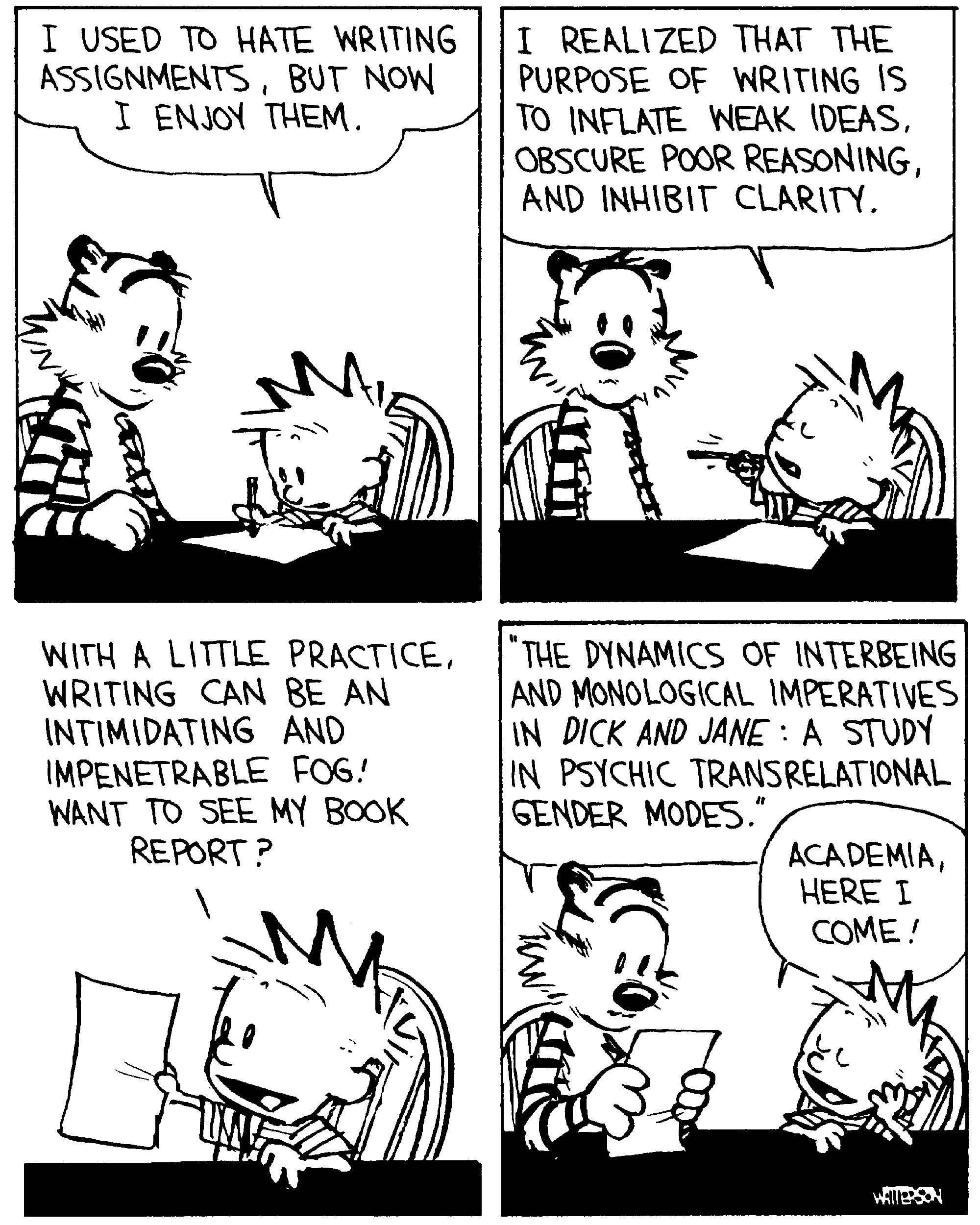
Who knows, with practice, we might start getting books reports like this:

Wikipedia vs. Textbooks vs. Primary Sources

Here's an interesting project done by Mr. Byrne at Free Tech 4 Teachers. He had his high school students compare a textbook and wikipedia on the same information. Then he had them compare the information they found to various primary sources.
The results in a nutshell:
  1. Textbooks were better for finding the main points.
  2. Wikipedia had the same information but was more indepth.
  3. Wikipedia included links to additional information and primary sources.
You can read his post here, and you can see his outline for the original project here.

I could see doing the same sort of activity with 4th, 5th, or 6th graders, but changing the topics that are studied (Wisconsin history, American history topids, etc.). I'd guess the results would be similar, but in addition I think elementary students would find that Wikipedia articles were more difficult to understand.

For what it's worth, looking at Wikipedia is interesting to me since I have found myself more and more going to Wikipedia as the first stop on a research journey. The basics are in the outline of the main points at the top, links at the bottom lead to more information, and the reading level is generally not too difficult. Also, within each article, related topics are linked to their own articles.

Interactive White Board Lessons

Scholastic has a free website with lessons and activities using interactive white boards. On the page it says these activities were developed using Notebook software and SMARTBoard interactive white boards, so they all should be compatable with our boards.

There is also a search box that searches the lessons and activities as well as a SMART Exchange for sharing ideas with other teachers. (This takes you to a SMARTBoard site.)
Related Posts Plugin for WordPress, Blogger...